

Data Wiping Software
➨ Product Information : Data Wiping Software permanently wipes deleted, erased and unused files, folders from hard disk drive of computer system and removable media drives to maintain the system privacy.
➨ Data Wiping Software Screenshots :
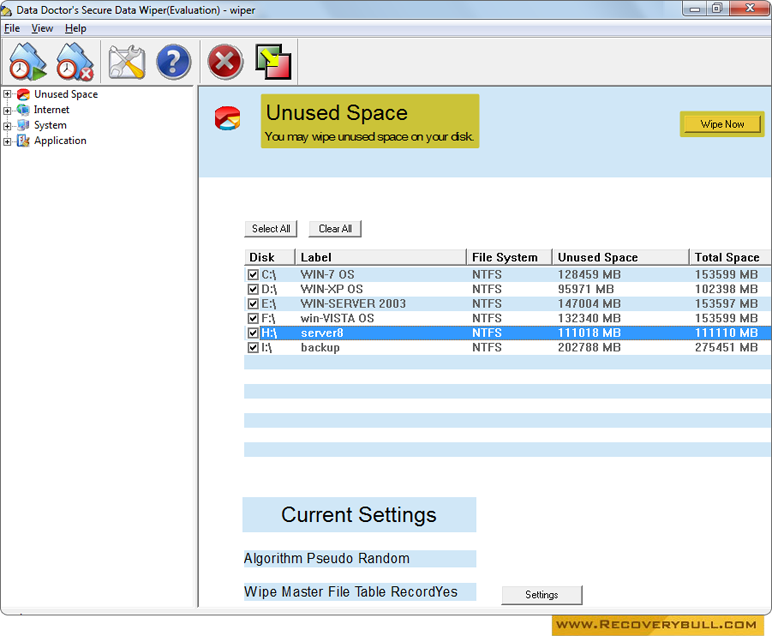
Select your partition disk to erase files or format entire drive.
Key Features of Data Wiping Software:
Removes traces of Application and system files including
- Used/unused hard disk space.
- Internet files including Temporary internet files, Cookies, History and Typed URL etc.
- System utilities including Administrator temporary files, Clipboard contents, recent documents, System registry trace, recent network folder, Recycle bin, Windows event log etc.
- Recently used applications including MS Word, Access, Excel, PowerPoint, Paint, Media player and WordPad etc.
Media Support: Support all major hard disk drives and removable media including Pen drive, Memory card and other USB supported device.
Data Wiping Modes: Support Destructive and Non-destructive modes. Destructive mode of data wiper wipes entire disk space for system re-installation and Non-destructive wiping irreversibly wipes deleted files, folders, records of offline and online internet activities including Cookies, typed URL and deleted documents list (application and system files) etc.
Preview files before deletion: Data wiper software provides option to select file and folders information records before performing wiping operation.
User interface: The user can understand the feature and operations of the software with ease due to its easy to use graphical interface. The user can use the software on all major windows operating system.